Jonukas Skin
English

FM27 – made of paper

Jonukas Skin Enhanced is now free. Supporters test new screens first – then everyone gets them.

Free for everyone

Jonukas Skin Enhanced

New look + rebuilt screens
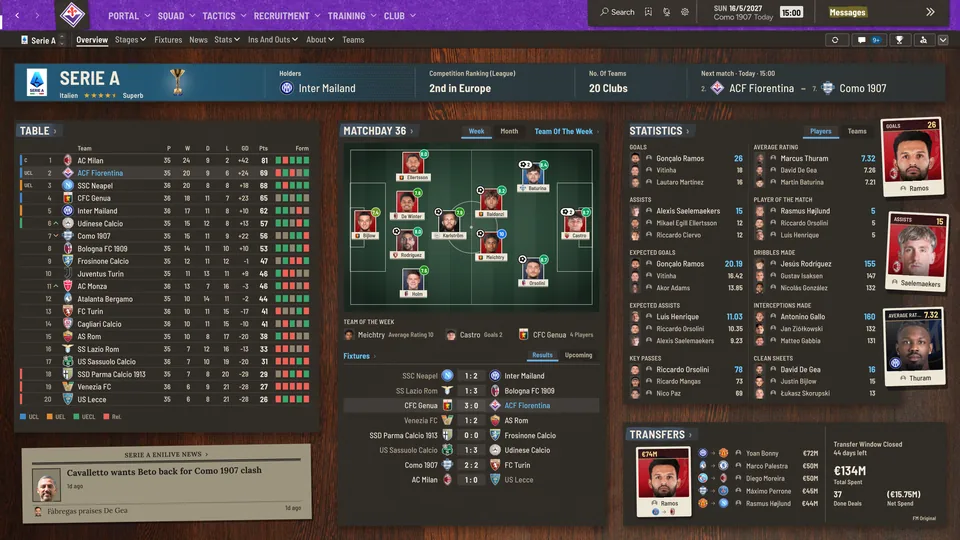
Enhanced
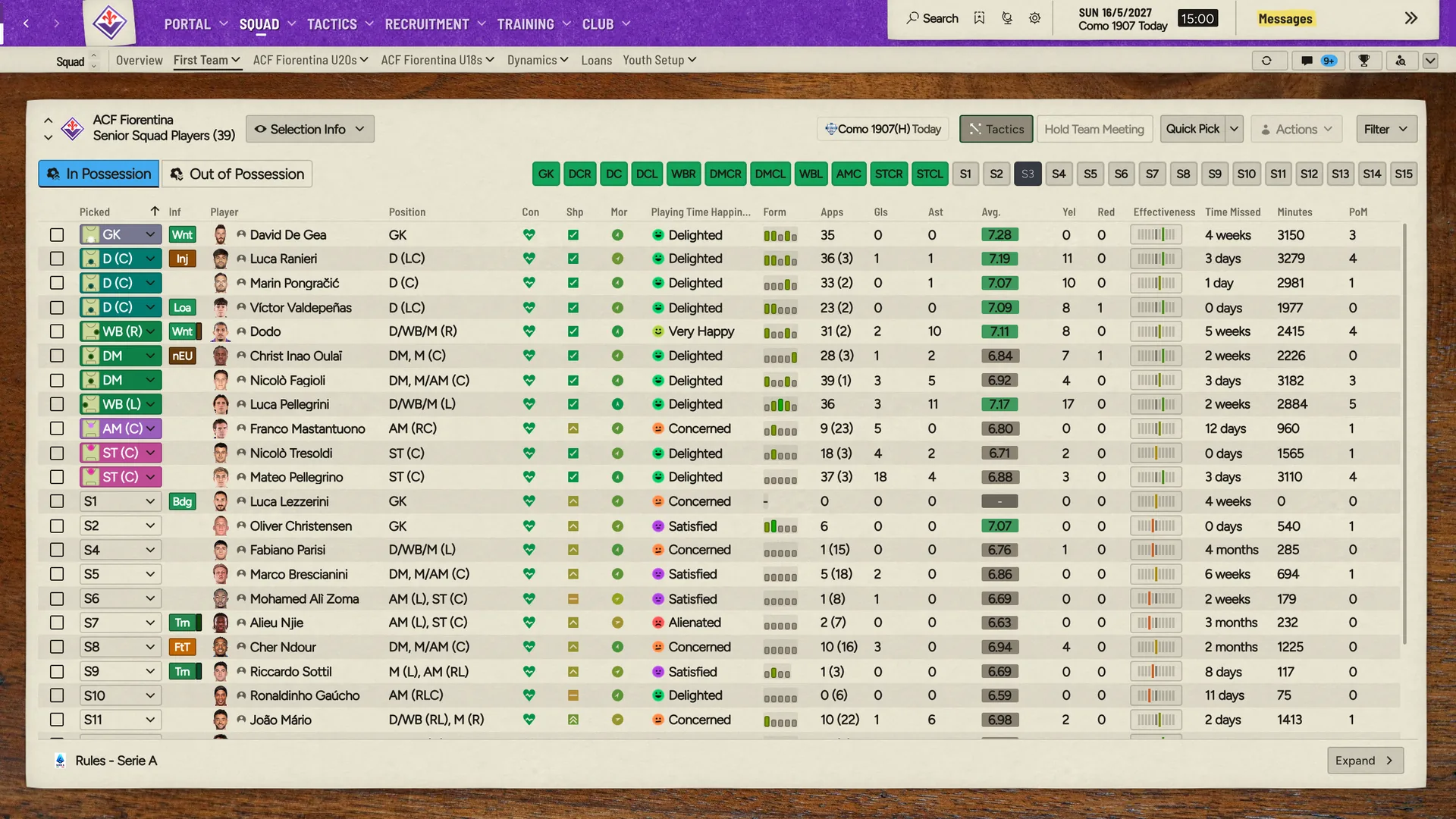
Without Enhanced
Without EnhancedEnhanced

Rebuilt screens

All four looks

In it
Four paper looks for every screen – plus rebuilt screens a skin alone can't do. Also: club page, player card on hover, staff attributes as numbers, your own attribute colours. Ships with the BepInEx mod loader. Windows (Steam and Epic).
Not in it
Screens that are still in testing.

Download the Enhanced file for Windows from the post. Free, because mods should be free. If you want to support my work: Patreon.
Just want the look? Skin without Enhanced

The skin without Enhanced is still available: a plain FM27 skin, no mod, no changed game files. Runs on Windows and every Mac.

Your download FM: Latin alphabet · Windows
Change

The language FM runs in decides the package, not the language of this page.

  • Jonukas-Skins-FM27.zipWood, Paper, Dark Wood, Dark Paper

Download Jonukas-Skins-FM27.zip from the post. Opens the public post on Patreon with the ZIP file attached. No game files are changed.

For supporters

Jonukas Skin Experimental

New look + rebuilt screens + the newest first

Today: the same screens as Enhanced. Also in testing:

  • Faster screens: an accelerator for the skin that builds pages quicker.
In it
Everything in Enhanced. New screens land here first, get tested, and are then released free for everyone.
Not in it
Nothing. But the newest parts aren't fully tested yet – expect bugs.

For supporters on Patreon. Your feedback goes into the finished version.

Before and after

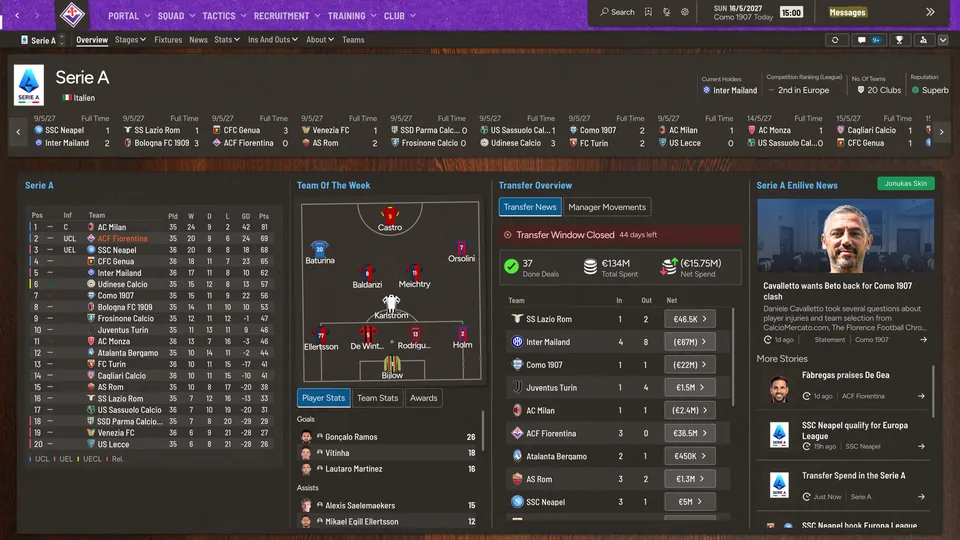
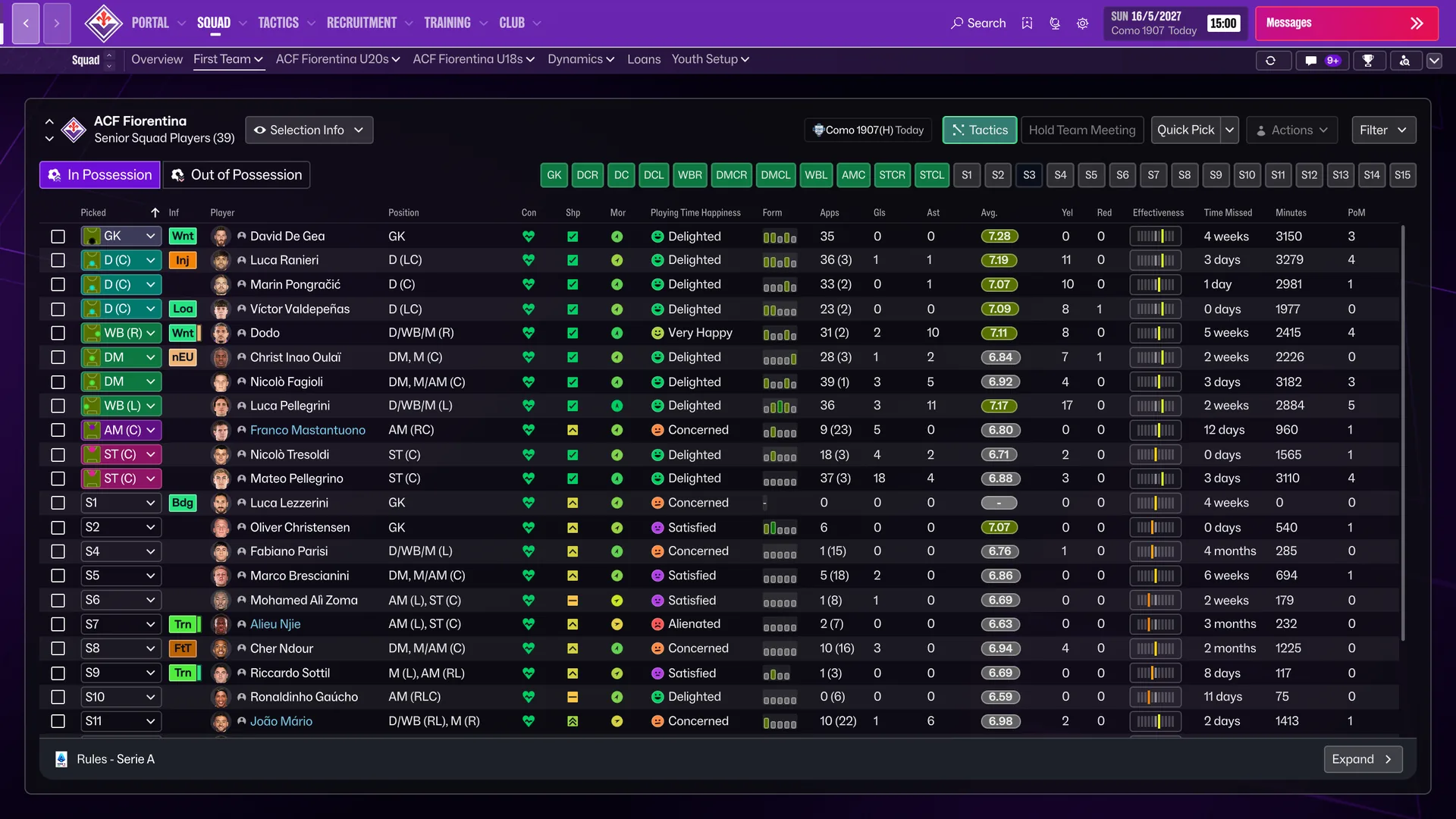
FM27 default on the left, Jonukas Skin on the right. Switch looks and screens above.

Jonukas Skin · Wood
FM27 default
FM27 defaultJonukas Skin · Wood

Rebuilt screens

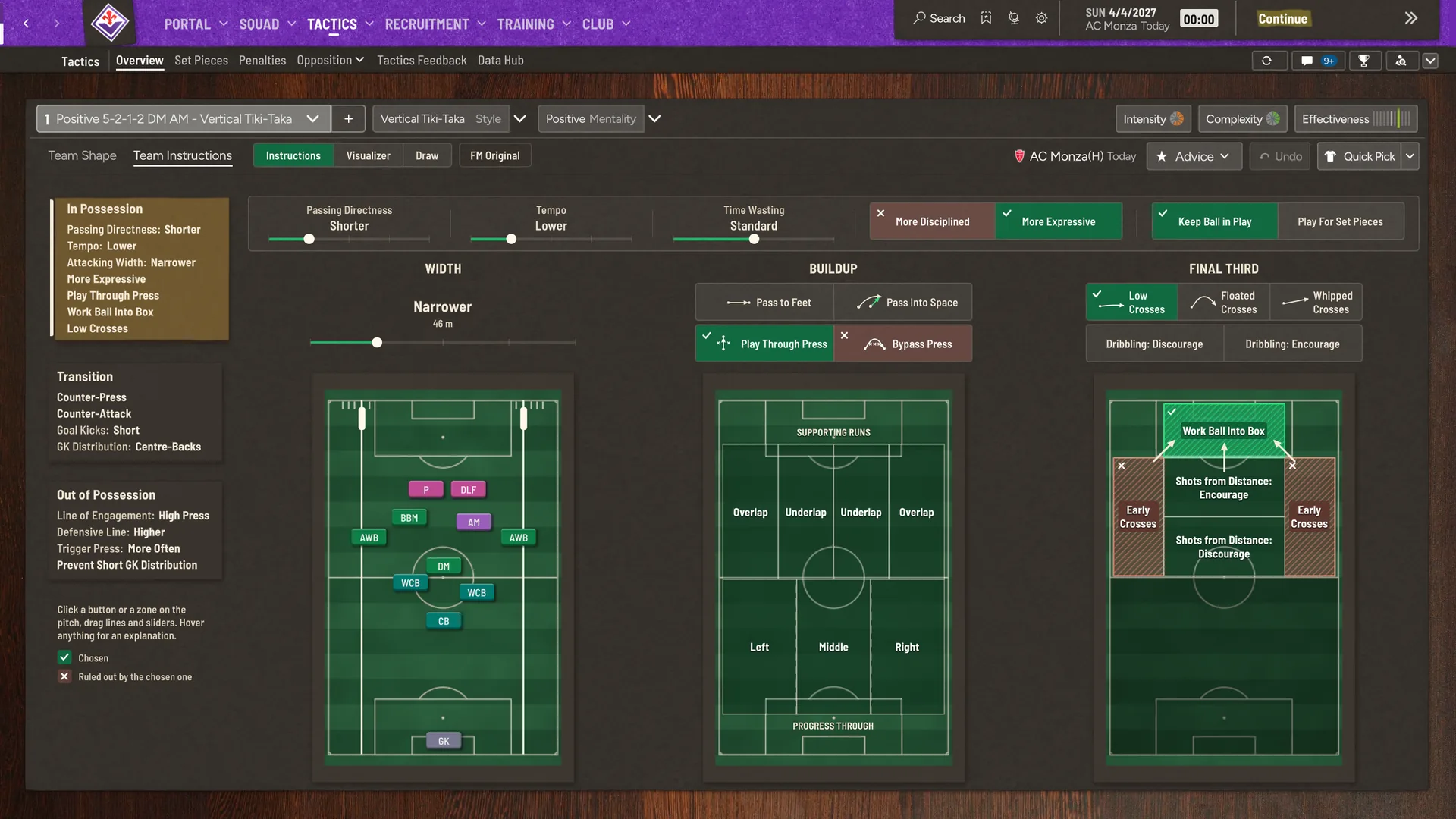
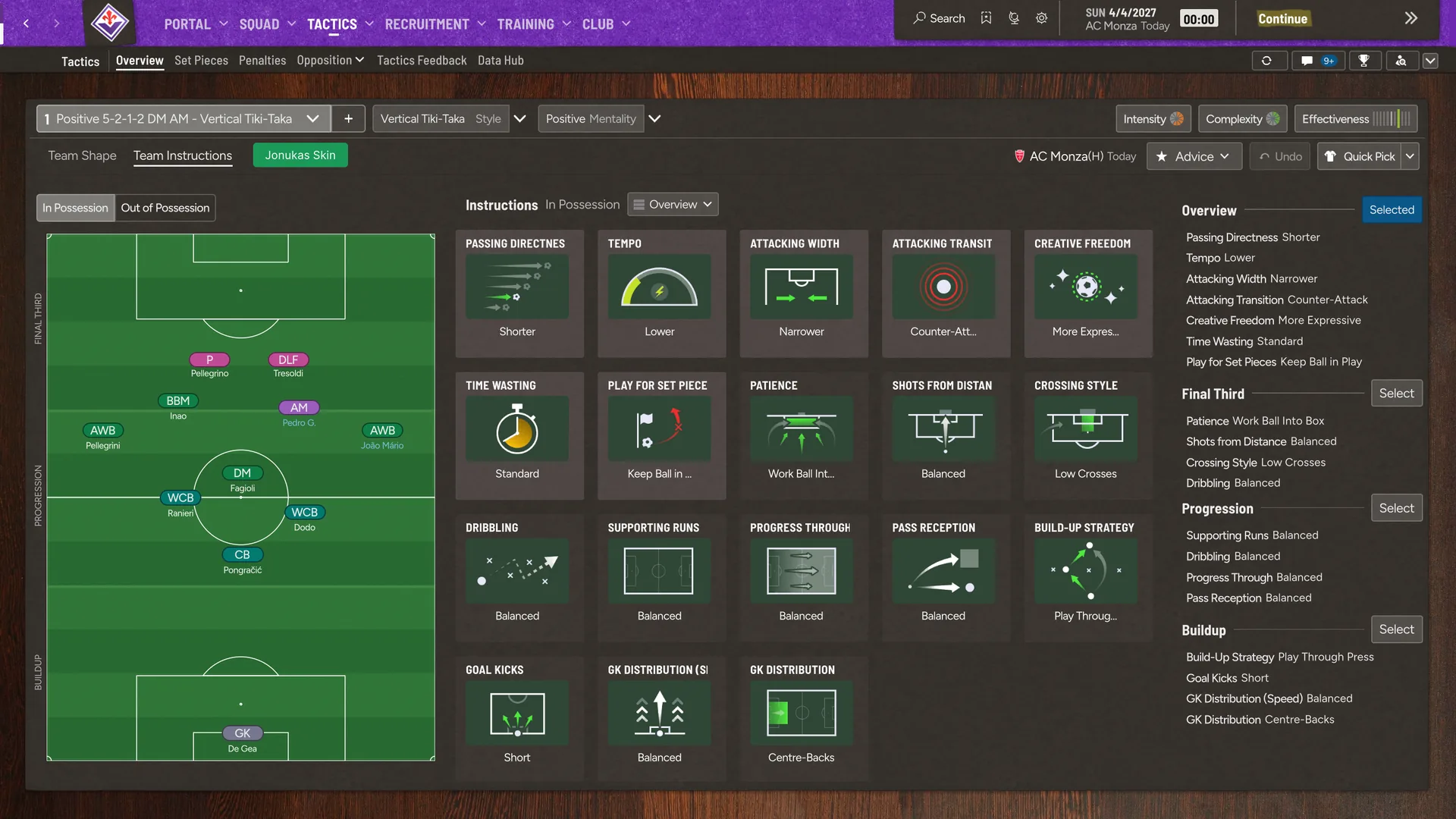
A skin can only change colours, fonts and backgrounds. Enhanced rebuilds whole screens – on the left the screen without Enhanced, on the right the same screen rebuilt.

Enhanced
Jonukas Skin · Dark Wood
Jonukas Skin · Dark WoodEnhanced

Team instructions Laid out like FM24: all phases on one screen instead of separate tiles, adjustable right on the pitch – works during matches too.

Download Enhanced for free

Installed in one minute

Enhanced Unzip, double-click Install.bat, start FM27. The first start takes up to 10 minutes – just wait. The steps below are for the skin without Enhanced.

  1. Download Jonukas-Skins-FM27.zip and unzip it
    Close FM27 first.
  2. Double-click Install.bat
    Pick a look when asked. If Windows shows a security warning: click “More info”, then “Run anyway”.
  3. Start FM27
    You can switch looks any time under Preferences › the skin dropdown next to “Reload Skin”.
Prefer copying by hand?

Copy the jonukas- folders from the “skins” folder inside the ZIP into Documents › Sports Interactive › Football Manager 27 › skins. Only those folders, not the outer folder around them.

Correct folder structure

      
One level too deep (FM27 won't see it)


FAQ

Is the skin really free?

Yes, and it stays free. The download is a public post on Patreon – no subscription needed.

Which package do I need?

It depends on the language FM27 runs in, not this page. Latin alphabet (English, German, Spanish …): the standard package with all four looks. Korean: the Korean package for Wood and Paper, or International for Dark Wood and Dark Paper. Russian, Greek, Japanese, Chinese and Arabic: International (Dark Wood and Dark Paper). The selector at the top picks the right file for you.

Does it touch game files or saves?

Saves never: existing saves work normally. The skin without Enhanced is just a few folders in your skins directory – no mod, no changed game files. Enhanced ships with the BepInEx mod loader and puts it, together with its own folder, into FM27's game folder; Uninstall removes both again.

What does the installer do?

For Enhanced it copies the BepInEx mod loader (if there is none yet) and the Enhanced folder into FM27's game folder. For the skin without Enhanced it copies the skin folders into your FM27 skins folder and, on Windows, optionally selects your look. Nothing else, and nothing is sent anywhere. The README inside the ZIP says what every file does.

Skin or Enhanced – which one should I take?

If you just want the new look and nothing touching the game: the skin. If you want the rebuilt screens: Enhanced – the skin is already in it. Enhanced ships with the BepInEx mod loader and may pause briefly after an FM27 update.

Does it work on Mac?

The skin works completely on every Mac, with its own installer. Enhanced is Windows only for now (Steam and Epic).

How do I uninstall it?

Double-click Uninstall. For Enhanced this removes the Enhanced folder and the Jonukas skins and switches BepInEx off again if the installer brought it. For the skin without Enhanced you can also switch back to FM27's default skin in Preferences and delete the jonukas- folders.

Why do supporters test new screens first?

Rebuilt screens hook deeply into FM27 and need real testing across many setups. Supporters try them in the Experimental first and report issues – once a screen is stable, it moves into the free Enhanced. There is no fixed release date.

What happens after an FM27 update?

The skin usually keeps working without changes. Enhanced may need an updated build – until then, FM27 simply falls back to its default screens. Your save is safe.

Can I add faces, logos, kits and stadiums?

Yes, the skin works with graphics packs. They are not bundled: the packs belong to the people who make them, and real logos and faces are licensed. Free downloads with install guides: sortitoutsi.net/graphics (faces, logos, kits, trophies, stadium backgrounds). The links are also in the README inside the ZIP.

Jonas

Hi, I'm Jonas

I make Football Manager videos on YouTube as Zwonukas (mostly in German). I originally built this skin for my own save – after the first screenshot got shared far wider than expected, I polished it up for everyone.

If you want to support my work, you can do that on Patreon from €5 a month and help test new Enhanced screens before they go out to everyone.

Spotted a display issue? Drop a screenshot and a short note in #jonukas-skin on Discord.

Download for free Experimental